Nederlands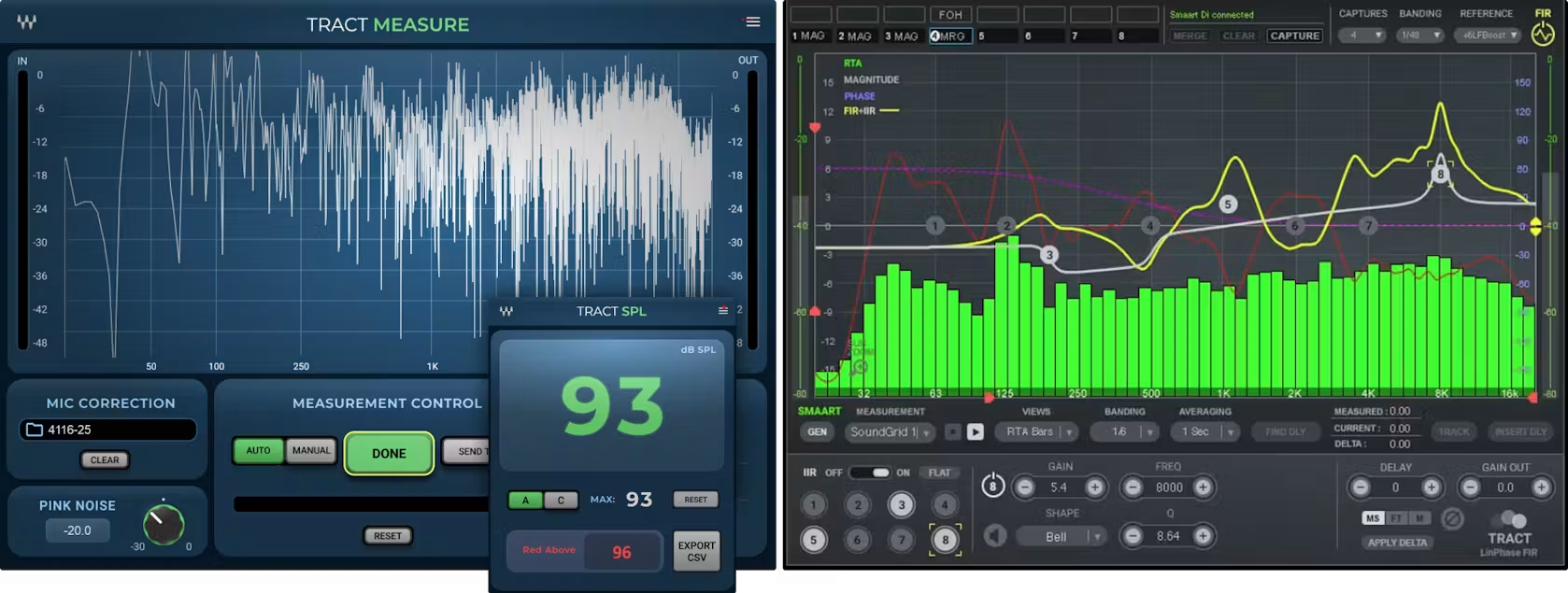
Tract System Calibration Suite
PA measurement, system calibration and SPL monitoring in one complete suite
Tract System Calibration Suite
Description
Meet the New TRACT System Calibration:
Measure, Calibrate and Monitor Your PA
TRACT System Calibration is now a complete system-tuning toolkit, with three plugins working together to help you measure, calibrate and monitor your PA. The package now includes the new TRACT Measure and SPL Meter, alongside the original TRACT System Calibration plugin.
With the new TRACT Measure, you can measure your PA directly inside eMotion LV1, SuperRack Performer or SuperRack SoundGrid—no external measurement software or second computer required. Capture your system’s frequency response and delay, and send the measurement directly to TRACT System Calibration, which creates corrective EQ and time-alignment settings. (The TRACT System Calibration correction plugin also still works perfectly with Smaart®, giving you two alternative ways to feed measurements into the TRACT correction workflow.)
Once your system is tuned, the new SPL Meter lets you keep an eye on sound pressure levels throughout the show, directly from your Waves live host. Together, the three plugins give you a streamlined workflow from initial PA measurement and calibration to ongoing SPL monitoring.
Brand
Waves
You want more information?
Call or mail a specialist
Phone: +31 514 523117 Mail: jan@meershop.eu

System Requirements
- Mac
-
CPU
Intel or Silicon Architecture
See notes regarding Apple Silicon based processorsMemory
16 GB RAM
30 GB free disk space on the system driveOperating System
macOS Sonoma 14, Sequoia 15, Tahoe 26Screen Resolution
Recommended: 1920×1080
USB displays are not supported as the primary display.
- Windows
-
CPU
X64 compatible Intel or AMD CPUMemory
16 GB RAM
30 GB free disk space on the system driveOperating System
Windows 10 64 bit
Windows 11Screen Resolution
Recommended: 1920×1080
Exceptions & Notes:
Using TRACT with TRACT-Measure:
- TRACT Measure and TRACT can be used together on the same system; separate computers are not required.
Using TRACT with SMAART:
- When using TRACT with Waves Live Applications, we highly recommend running Smaart on a separate computer.
- Smaart V9 is only supported with TRACT V14.12 and higher.
- Using TRACT and Smaart on Separate Computers over a SoundGrid Network: If TRACT is running on a SoundGrid host (i.e. MultiRack SoundGrid, eMotion LV1) and Smaart is running on a separate computer, you must use a separate, dedicated network adapter to remotely control Smaart’s functions.
For more information, please see the TRACT User Guide. - Connecting to Smaart over Wi-Fi while Running SoundGrid: If TRACT is running in a SoundGrid application, we do not recommend using Wi-Fi for connecting to Smaart. This connection is possible, but it can degrade the performance of SoundGrid applications, such as MultiRack SoundGrid, eMotion ST Mixer, or eMotion LV1.
- For proper measurement data to pass from Smaart to TRACT, first make sure the measurement in Smaart displays as expected, and only then connect to TRACT. The sequence of actions is : Run Smaart > Configure Smaart’s audio setup > Run Measurement of choice and verify the measurement displays as expected > Connect TRACT to Smaart.
- On Windows, using Smaart with the Waves SoundGrid Driver v15 and TRACT is supported only with Smaart v9 or later.
Related products